Realsoft Graphics Oy |
Post Particle Effects
|
|
|---|---|---|
 |
Select Window | 
|
Realsoft Graphics Oy |
Post Particle Effects
|
|
|---|---|---|
|
|
Select Window |
|
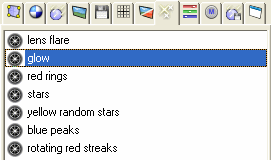
Post particle effects define how particles is rendered in post processing phase. In other words, you can assign different appearances to particles using post particle effects. The post particle effect library is project specific: if you have multiple projects open, each project has its own set of effects.
|
The Popup Menu
|
 |
Copy Copies the selected particle effect to the Realsoft 3D particle effect clipboard. The selected particle effect stays in the library.
Paste Pastes a particle effect from the Realsoft 3D clipboard to the current library.
Duplicate Creates a duplicate of the selected particle effect. The duplicate is placed to the end of the library.
Delete Deletes the selected particle effect. The clipboard will not change.
Delete All Deletes all particle effects. The program displays a warning before deletion.
Delete Duplicates Removes objects which duplicate a name of an earlier object. After the operation, every particle effect has an unique name.
Purge Deletes all unused particle effects.
Copy to a File Opens a file browser. The selected particle effect is then saved to a defined disk file.
Paste from a File Opens a file browser. The particle effect from a selected disk file will be loaded to the current library.
Rename Activates a rename box for the selected particle effect.
Properties.. Opens the object property window.
Make Choreographable Makes a particle effect animated. The time line and other animation properties can then be edited with the Choreography Window.
![[Note]](../../../../gfx/note.gif) |
Note |
|---|---|
| Modifying a particle effect property in the animation recording mode makes the particle effect also choreographable. |
Load Choreography Loads animation properties from a disk file and attaches the loaded information to selected particle effect.
Add New Choreography Adds a new empty choreography to the selected particle effect. The new choreography will be the active one i.e. animation recording actions will be stored to it. Multiple choreographs can be combined in a weighted manner.
Delete Choreographs Removes all animation information from the selected particle effect.
Dragging a post particle effect to a view window auto maps the effect to the selected geometric objects. This normally makes sense only when the selected objects are particles.
See also: Reference Manual/Models/Particle Effects.
|
|
 |
|
| Post Image Effects |  |
Channels |


